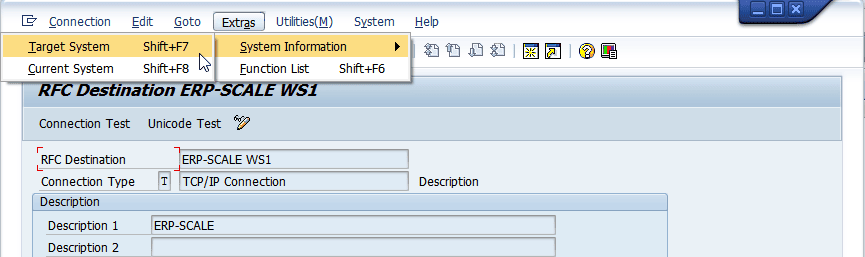
In SAP start transaction SM59 and select the RFC destination.
Use the function Extras>System Information>Target System:
Verify the System ID and Network Address of the system against the PC where ERP-Scale is installed:
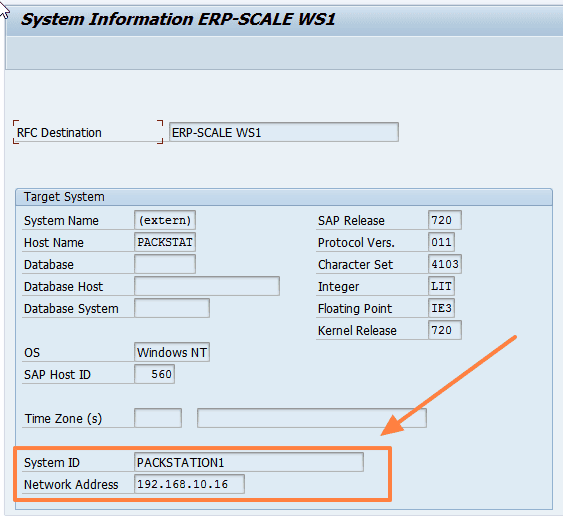
Repeat this step multiple times to verify that the correct remote system is always used.
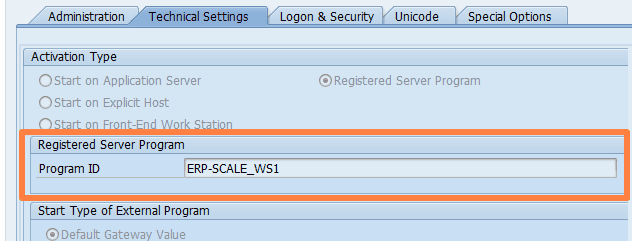
Resolution: Change the Program ID in SM59 under the registered server program:
and in ERP-Scale:
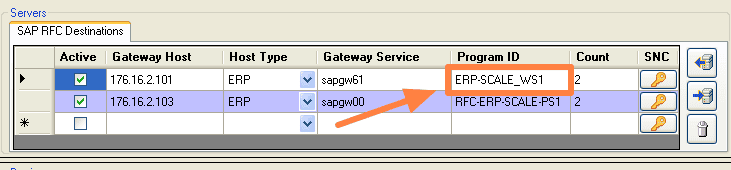
Ensure that the new Program ID is unique.