About ERP-Scale
For SAP® ERP & EWM

For SAP® ERP & EWM
ERP-Scale offers SAP Integration for weighing devices in a simple, easy-to-use package. It combines the configuration settings for both the device communication and the RFC connection in one robust plug & play package. ERP-Scale communicates directly with ECC & EWM using RFCs provided in the standard SAP system.
ERP-Scale supports a full range of settings to control communication with the weighing device connected to the PC using serial RS232 or USB HID POS. It also supports scales that use TCP or UDP for communication and Serial to Ethernet Device Servers. Powerful parsing commands allow the user to accurately extract the data required in SAP.
The vast majority of weighing scales with a computer connection are supported by ERP-Scale including scales from Mettler Toledo, Avery Weigh-Tronix, Bizerba, Dymo and Fairbanks. Other industrial equipment that supports computer communication can be interfaced with SAP using ERP-Scale.
ERP-Scale automates the process of weight collection saving not only time, but also removing the risk of keying errors.
SAP certified since 2008. SAP Certified – Integration SAP S/4HANA.
Our tutorial video demonstrates how to interface your weigh scale to SAP in under 5 minutes.

ERP-Scale is designed for quick and easy implementation.
Three easy steps to weigh scale integration with SAP:
ERP-Scale integrates with RFCs delivered in standard SAP without the need for system modifications or additional software or middleware. As ERP-Scale communicates directly with SAP, the utility scale_for_r3 is not required.
HUPAST
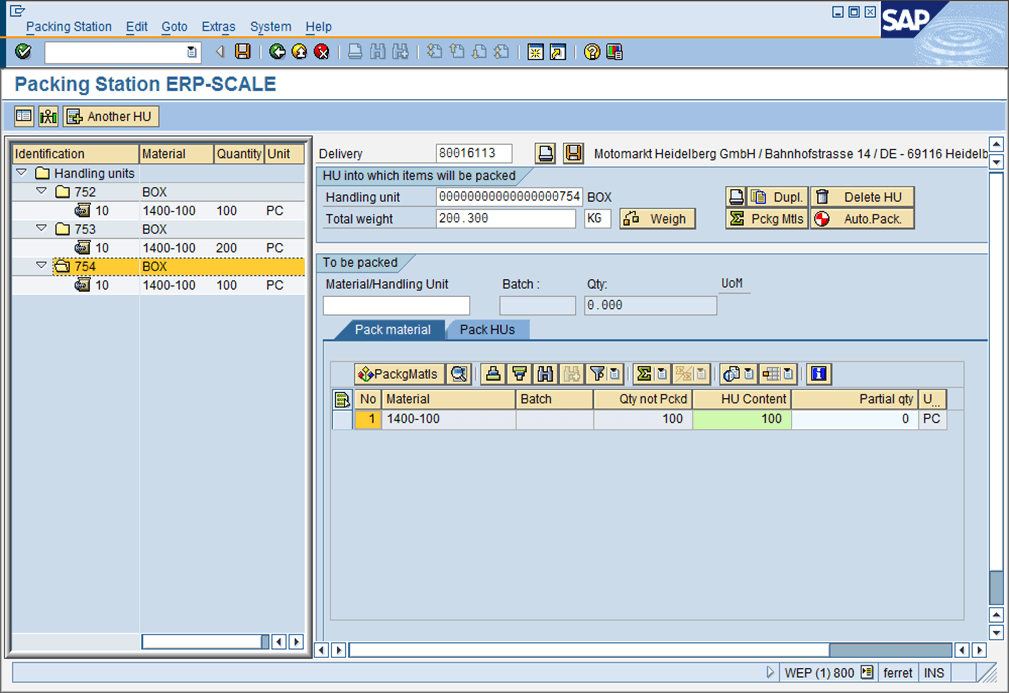
The packing station transaction in SAP ECC is used to pack outbound deliveries. ERP-Scale integrates weighing scales directly with the transaction’s weighing function.
SCWM QINSP/SCWM PACK
THE EWM transaction /SCWM/QINSP can be used to perform quality inspections for catch weight products. Transaction /SCWM/PACK provides packing station functionality in EWM.
ERP-Scale’s interface to SCWM allows the weight of the item to be transferred directly to EWM.
SAP ODA
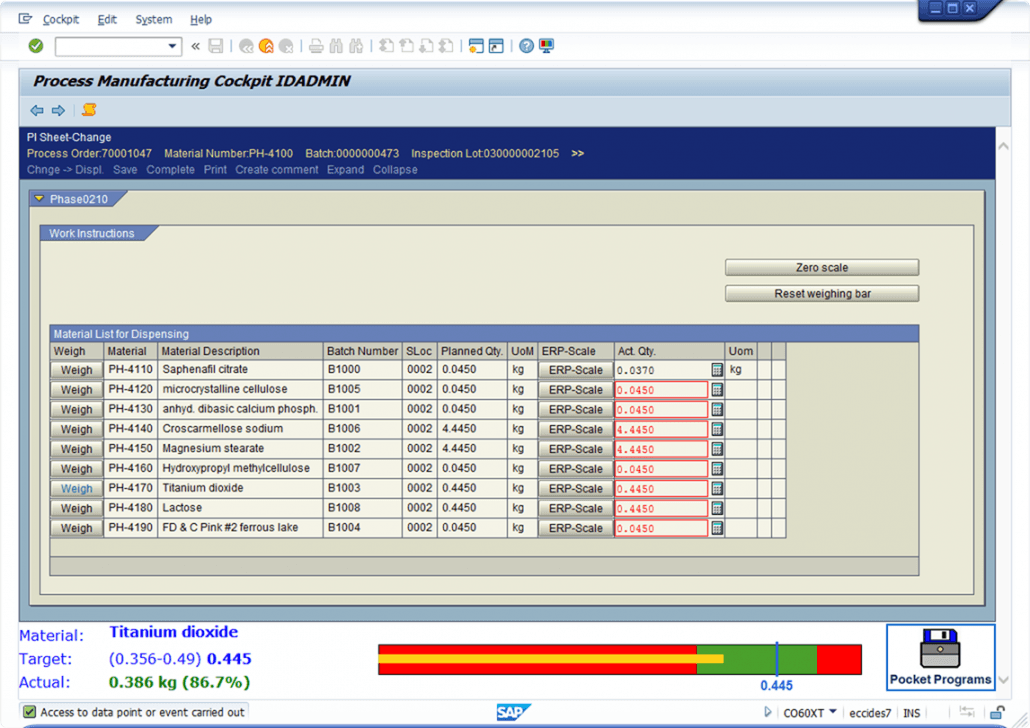
ERP-Scale includes an interface to SAP ODA. Ideal for use in PI-Sheets and XSteps, this allows access to the weigh scale using the SAP ODA functionality for OPC data access. SAP’s ODA Connector is not required as ERP-Scale provides full access to your weighing equipment in one easy-to-install and implement package including reading and writing data access items.
Using SAP ODA Data subscriptions, you can use ERP-Scale to trigger a function in SAP when a new weight is received without any operator intervention.
QM-IDI
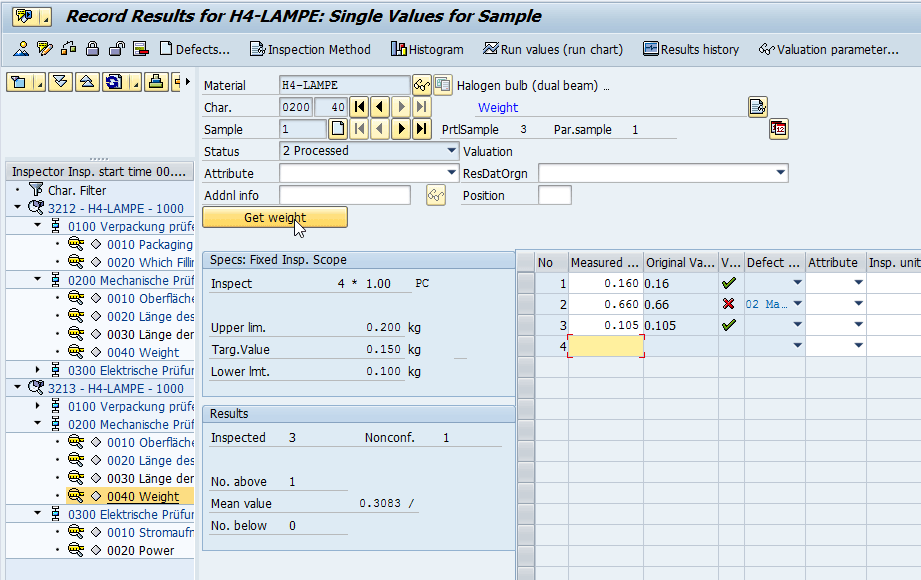
The QM-IDI can be used to automatically capture test results from scales and other analysis equipment directly to the QM module.
ERP-Scale’s QM-IDI interface supports the QM-IDI RFC QINT_GET_RFC_DATA which supports direct integration with QE51N.
MII XML Connector
ERP-Scale’s HTTP web server interface provides direct access to the weighing equipment from MII using the XML connector for SAP MII.
Integrated weighing is an important feature of the packing station transactions in SAP. ERP-Scale interfaces weigh scales with:
Accurate weights are vital in any manufacturing process. ERP-Scale interfaces weigh scales and other analytical devices with:
Quality inspection relies on precise data capture without keying errors. ERP-Scale interfaces weigh scales and other analytical devices with:
SAP supports integrated weighing in the packing station transaction (HUPAST). However, using the RFC HU_GET_RFC_DATA you can easily incorporate weigh scale integration in any custom development. Our customers use ERP-Scale to integrate weighbridge and volumetric devices with their SAP systems.
Custom SAP developments using ERP-Scale to interface to SAP include:
ERP-Scale can communicate will all types of equipment with a computer interface. These include weighing scales, barcode scanners, RFID card readers, temperature and other sensors.
ERP-Scale is primarily used to read data from the device, but it can also send information to the device* which allows it to support digital displays and coloured signals.
*available from ERP-Scale V4.1
ERP-Scale supports a full range of settings to control communication with the device using serial communication (RS-232). It also supports scales that use TCP or UDP for communication, including Serial to Ethernet Device Servers, and USB enabled scales such as Mettler PS60.
Even though ERP-Scale has been designed for use with weighing devices, any equipment that supports computer communication can be used. ERP-Scale also supports the MODBUS protocol for communicating with process control equipment including converting IEEE floating point values to human readable formats.
Most weighing devices transmit the current weight continuously; however ERP-Scale can also transmit a request for data to the device.
Incoming data can be filtered and parsed using ERP-Scale’s easy-to-understand rules. Either fixed length input strings can be used or a termination character specified. Data cleansing parameters can be defined and a built-in serial port monitor allows the settings to be tested without the use of further utilities. Routines are provided to convert values from hexidecimal and IEEE formats including CRC checking.
ERP-Scale can also detect motion on the weighing device, and settings include timeouts for movement on the scale.

Created in conjunction with UPS, ERP-Scale PSE has been developed to integrate weighing equipment with packing station transactions in SAP ECC and SAP EWM.

Supporting additional SAP RFCs, ERP-Scale PQS can be used in manufacturing, quality management and shipping.
Subscription licence cost per connected device, including maintenance and support: US$229* per annum
*Volume discounts available
Subscription licence cost per connected device, including maintenance and support: from US$299* per annum
*Volume discounts available