
Once the communication is working, you will need to enter the parsing settings. Click  to view the parsing settings screen:
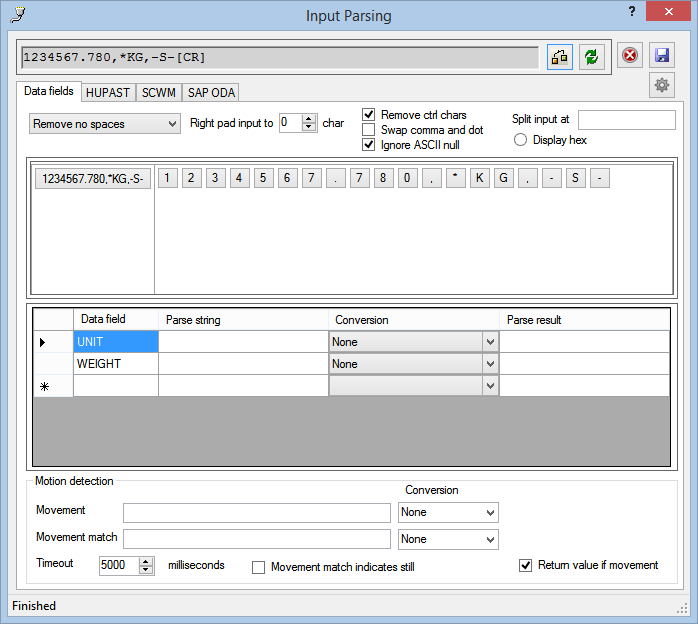
If the screen displays “No-Input”, check your communication settings.
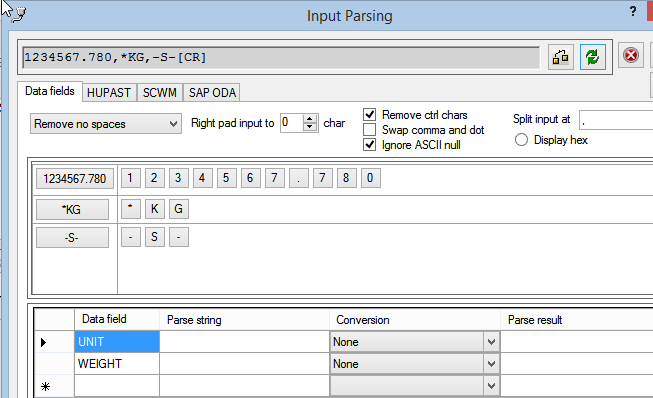
If the source string contains a separator, in our example comma, enter it here

and click  .
.
The source string will then be updated:
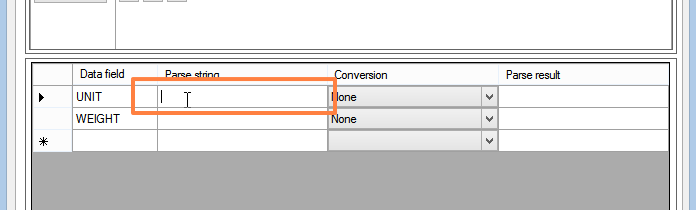
To specify the settings for a field, first click in the field (e.g. the Weight-Value field):
Then click on on of the source data buttons as follows:
| Button | Mouse Click | Effect | Result |
 |
Left Click | Insert complete substring | 1234567.780 |
 |
Left Click | Insert character | 4 |
|
Right Click | Insert character and all subsequent characters of the substring | 4567.780 |
To specify each of the output fields, click in the field and then click the source data buttons.
The output fields are specified as follows:
| Output Field | Button | Mouse Click | Effect | Result |
| Weight-Value | |
Left Click | Insert complete substring | 1234567.780 |
| Weight-Units |
|
Right Click | Insert character and all following chartacters | KG |
| Movement |
|
Left Click | Insert character | S |


On completion, the form will appear as follows:
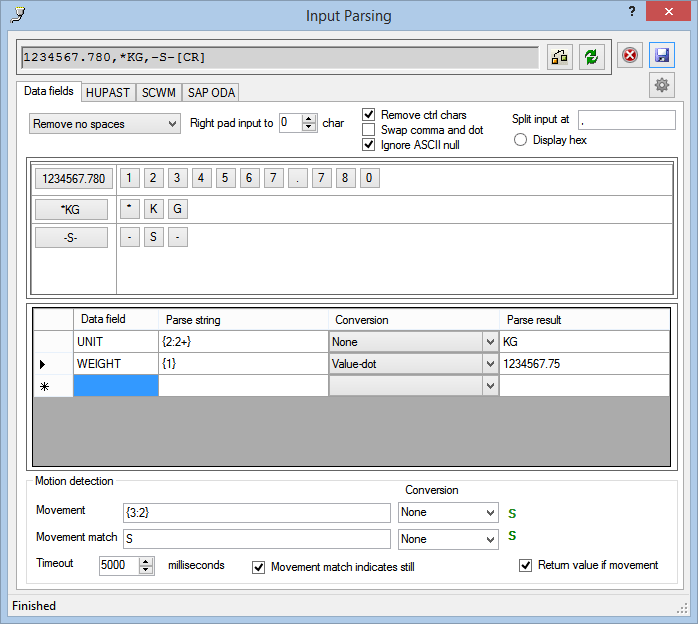
Notes:
- If the data fields do not exist, you can create them by typing the name (we suggest in capitals) in the data field column.
- Assign a numeric conversion method to the weight data field.
- Click on the HUPAST and SCWM tabs to complete the mapping.