
Settings for SAP ODA
To top
Settings for SAP ODA
To topWhen using ERP-Scale with SAP ODA, you use the settings for SAP ODA to define the following:
- The OPC Server for each ERP-Scale installation
- The OPC Data Access Items you wish to access in ERP-Scale.
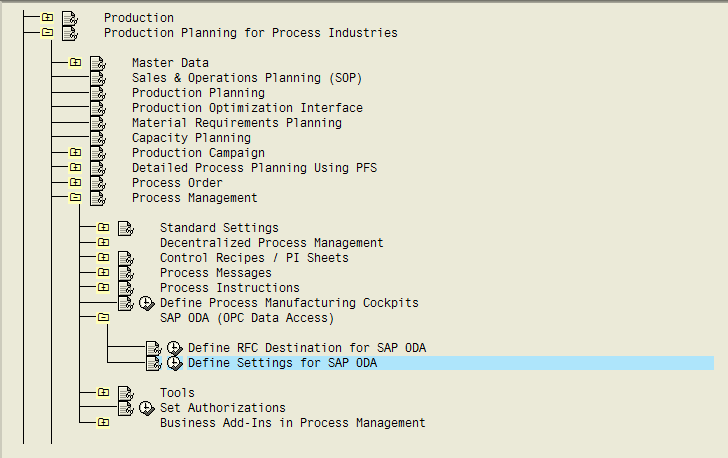
You can access the OPC Settings in the IMG here:
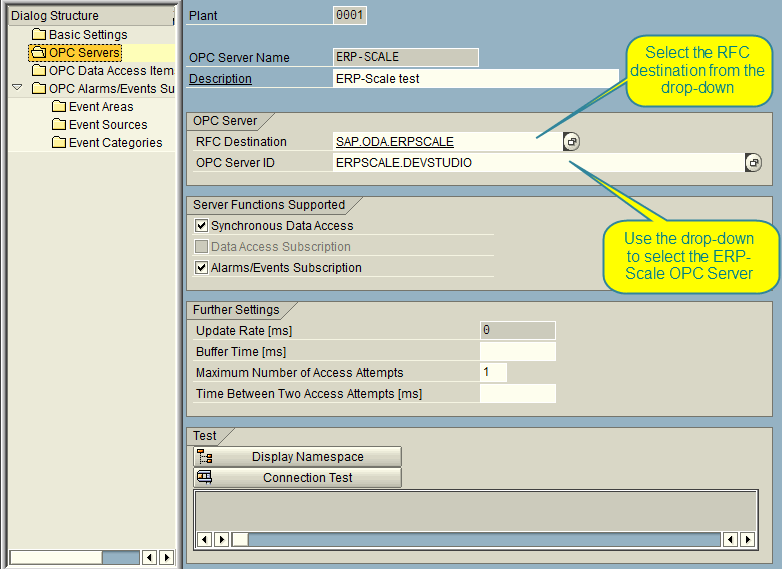
First you will need to create an OPC Server in SAP for ERP-Scale:
Once the settings have been entered and saved, you can test the connection (Ensure you have saved the entries or the connection test may fail):
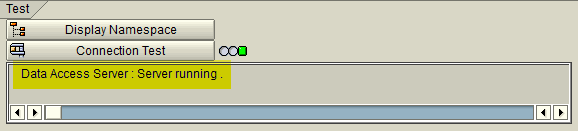
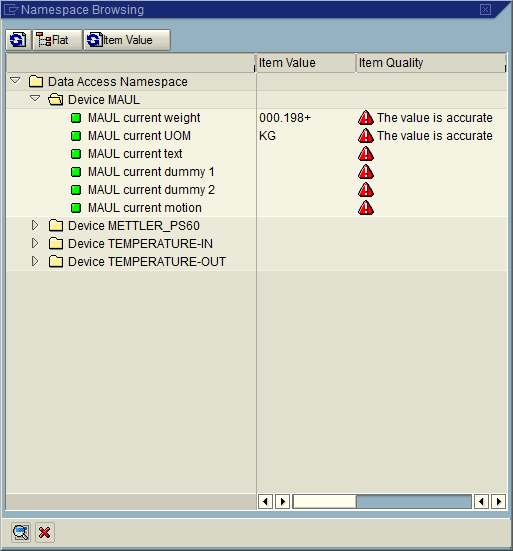
If the connection test is successful, you can start adding data access items:
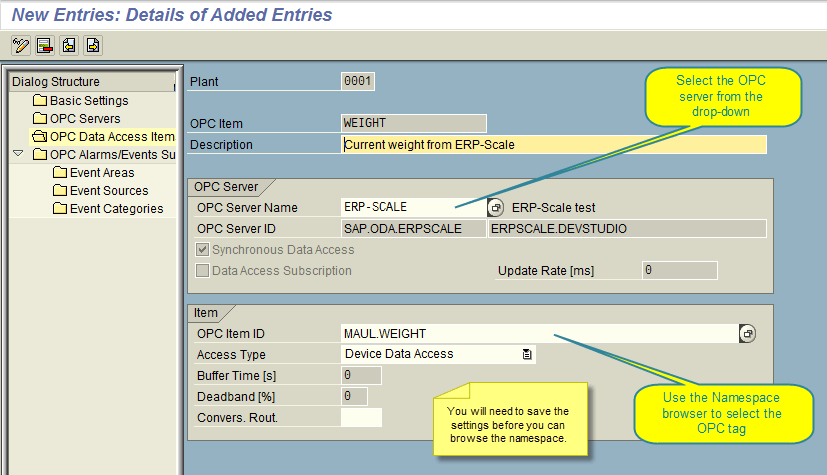
ERP-Scale data fields shown in the namespace browser:
You can test the settings by clicking “Read Synchronously” under Connection Test.
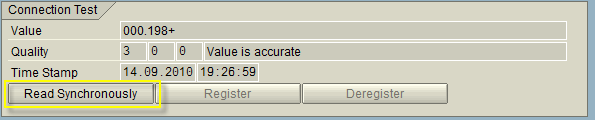
If the connection test fails, save the settings first